
Case Study · Business Systems
Custom CRM & SaaS Platforms
Building business applications around real workflows.
I have worked on custom CRM and SaaS platforms designed around the day-to-day processes of businesses rather than using a one-size-fits-all system.
These applications help teams manage customers, projects, users, tasks, workflows, and business data from a central platform. My work has involved building and improving both new and existing systems, from backend APIs and database design to frontend interfaces, integrations, and production deployment.
The focus has always been on understanding how the business actually works and translating those requirements into practical software.
The Challenge
Many businesses rely on spreadsheets, disconnected tools, or existing systems that do not fully match their workflow.
As the number of customers, projects, and internal processes grows, managing information across different tools becomes difficult. Teams struggle with duplicated data, unclear workflows, limited reporting, and manual processes.
The challenge was not simply to build another dashboard. Each platform needed to support the specific workflow of the business while remaining easy to manage, maintain, and extend as requirements changed.
The Solution
I worked on custom CRM and SaaS applications that bring important business processes into a central system — depending on the project: customer and project management, team workflows, task tracking, role-based access, reporting, notifications, integrations, and other business-specific functionality.
The applications were built with a focus on maintainable backend architecture, structured databases, clear user workflows, and APIs that could integrate with other services when required.
The focus was not simply on building another dashboard, but on translating real business processes into software that teams could use every day.
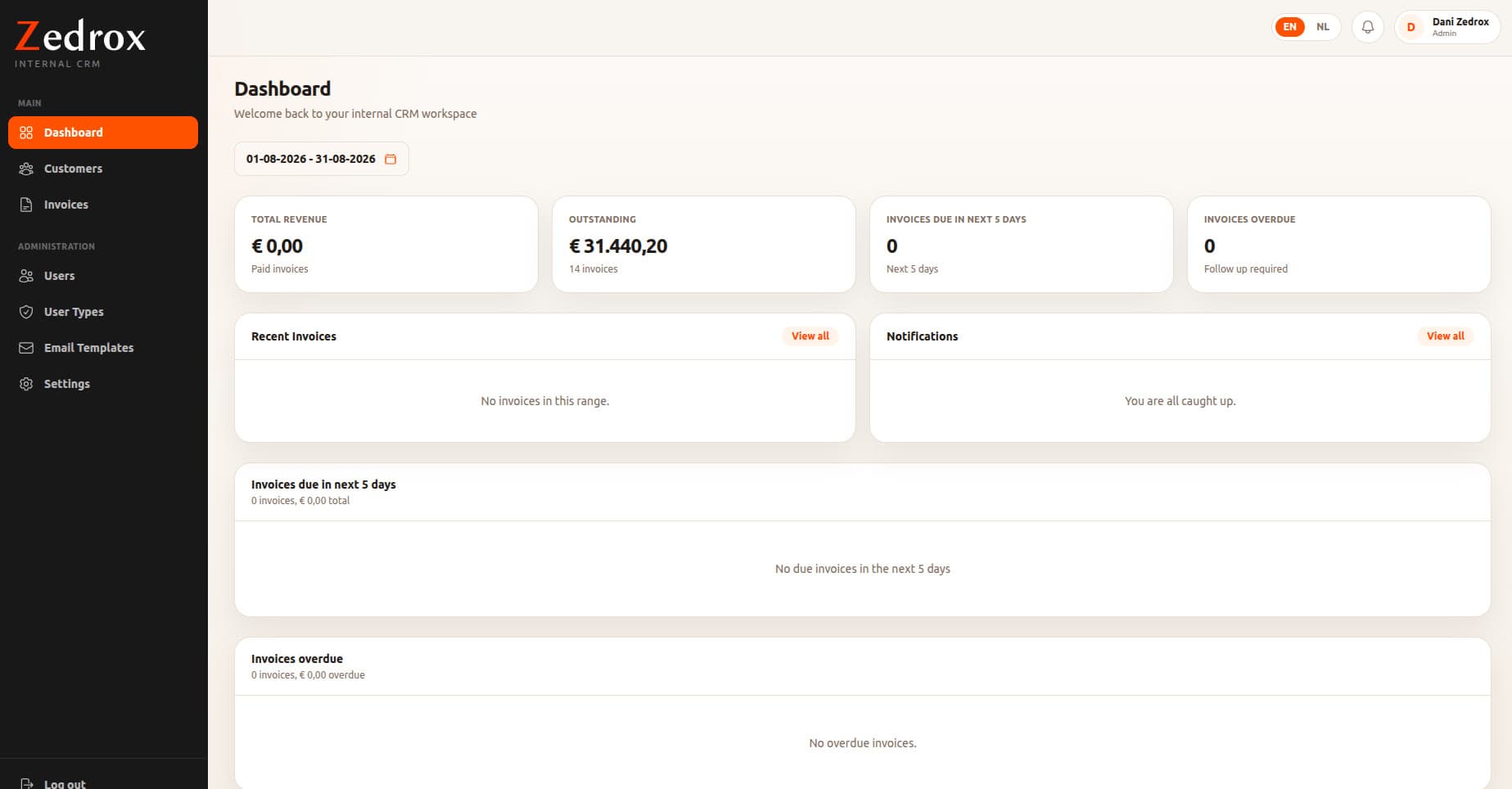
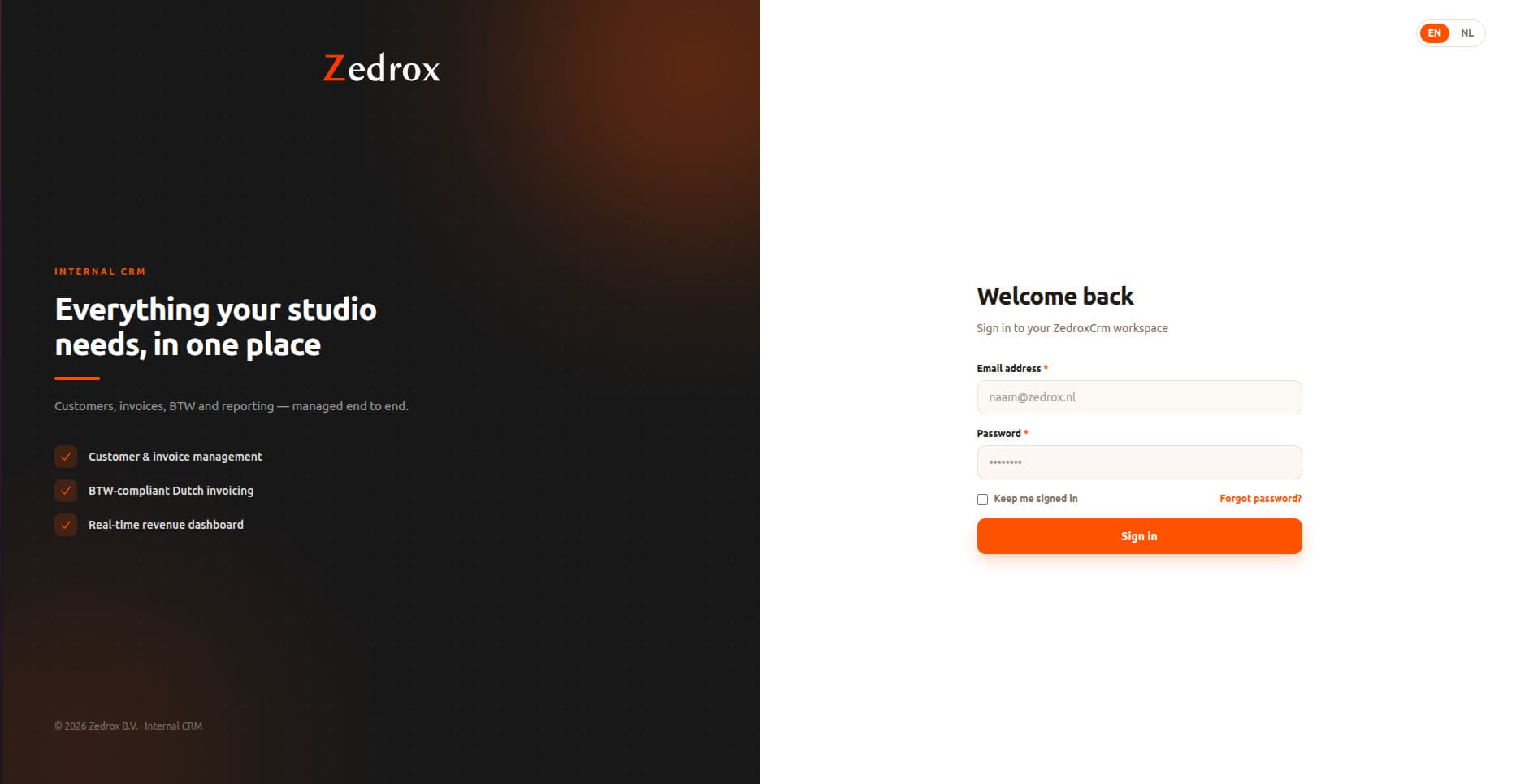
Featured Build · Zedrox Internal CRM
Customers, invoices, BTW and reporting — managed end to end.
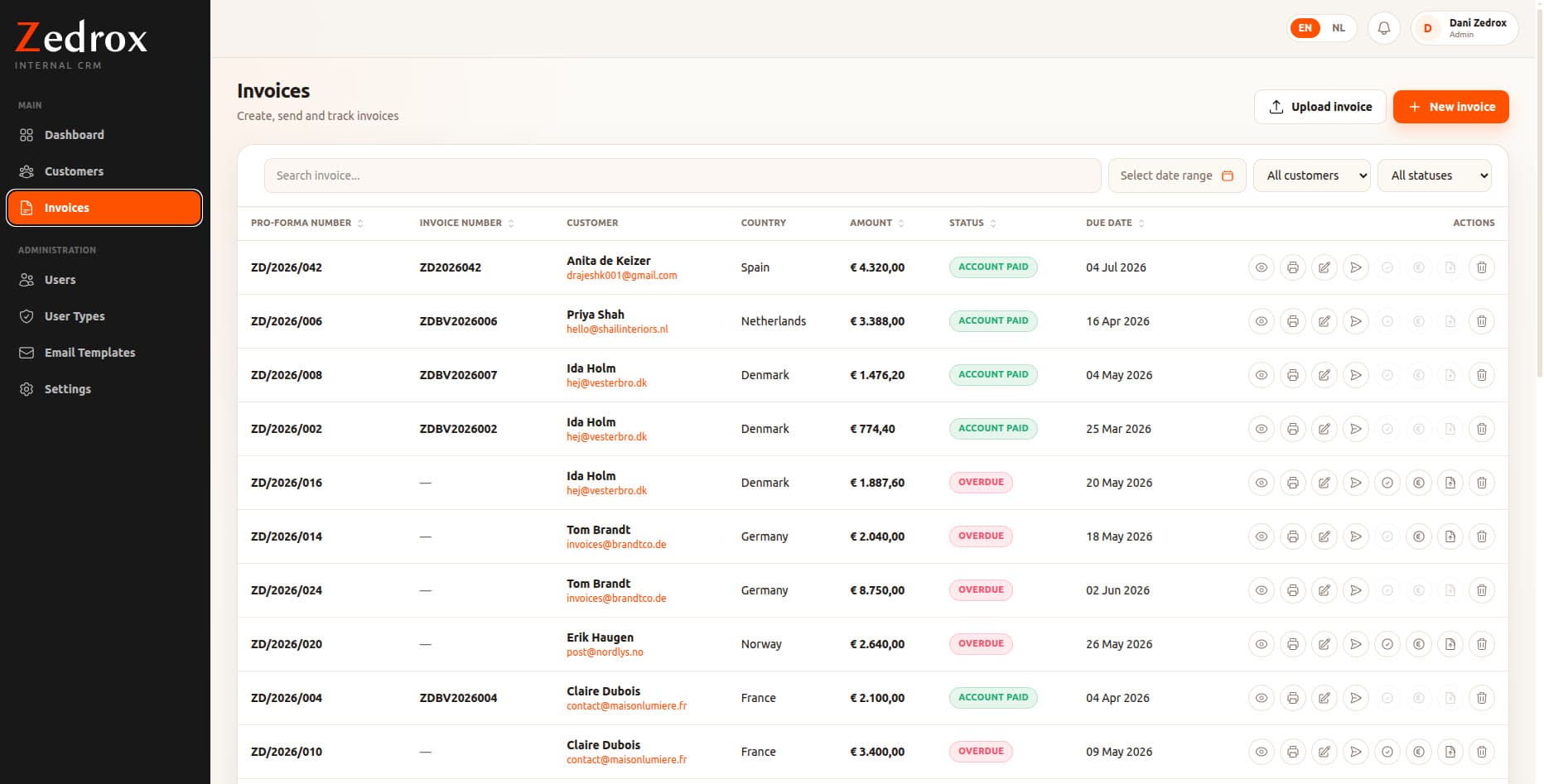
An internal CRM built for a studio in the Netherlands, replacing scattered tools with one bilingual (EN/NL) workspace. It handles customer records, pro-forma and final invoice numbering, BTW-compliant Dutch invoicing, payment status tracking, and due-date follow-ups — with a revenue dashboard that shows paid, outstanding, due and overdue amounts for any date range.
Key Features
Built for how the business actually works.
Customer & Relationship Management
Centralised customer information makes it easier for teams to manage records, history, activity, and related business information from one place.
Project & Workflow Management
Projects and business processes are organised into structured workflows, helping teams track progress, responsibilities, and current status.
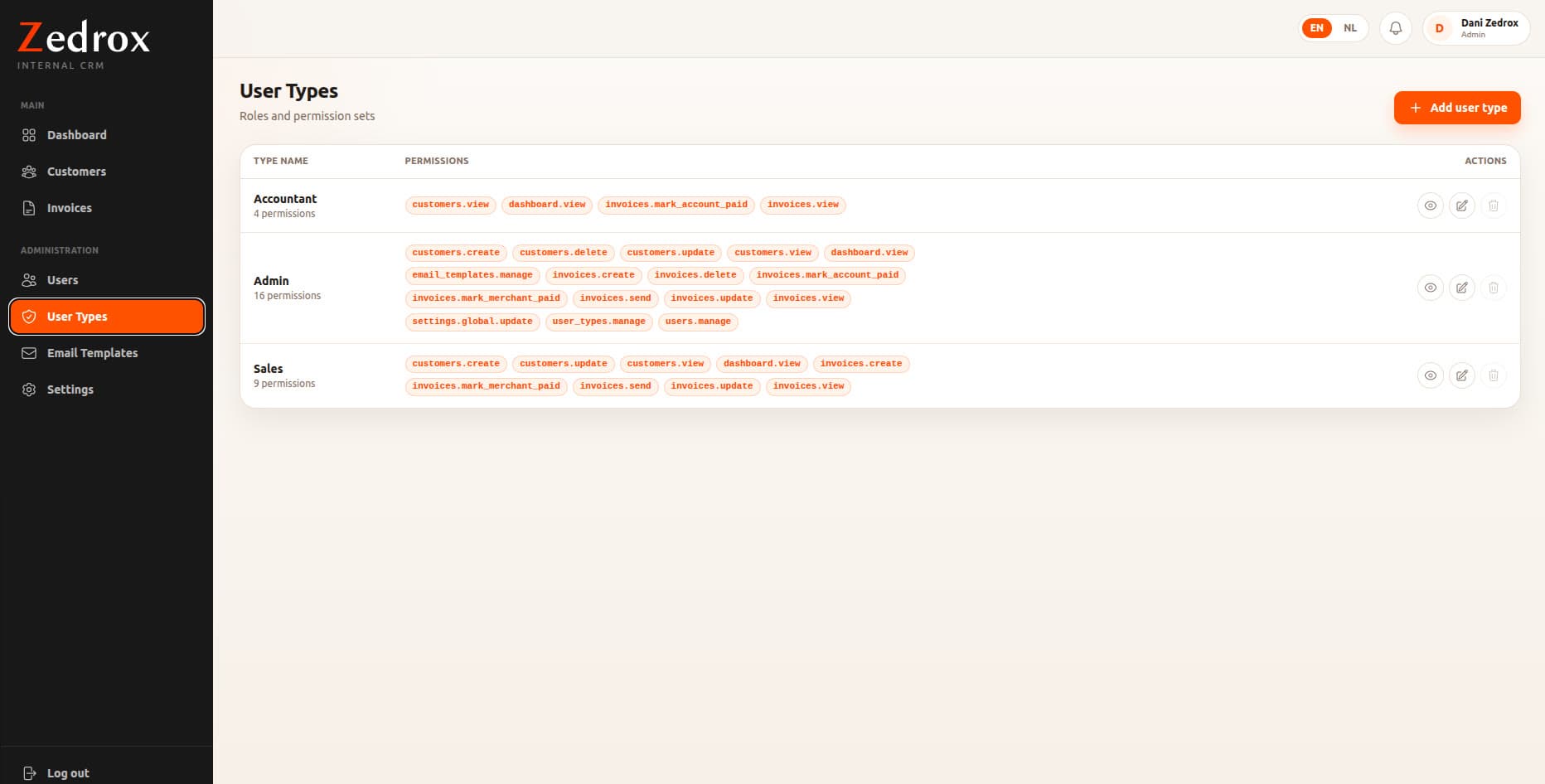
User Roles & Permissions
Different users access the parts of the system relevant to their role, separating administrative, management, and operational responsibilities.
Dashboards & Reporting
Custom dashboards give a clearer overview of business activity without manually collecting data from multiple sources.
Notifications & Business Automation
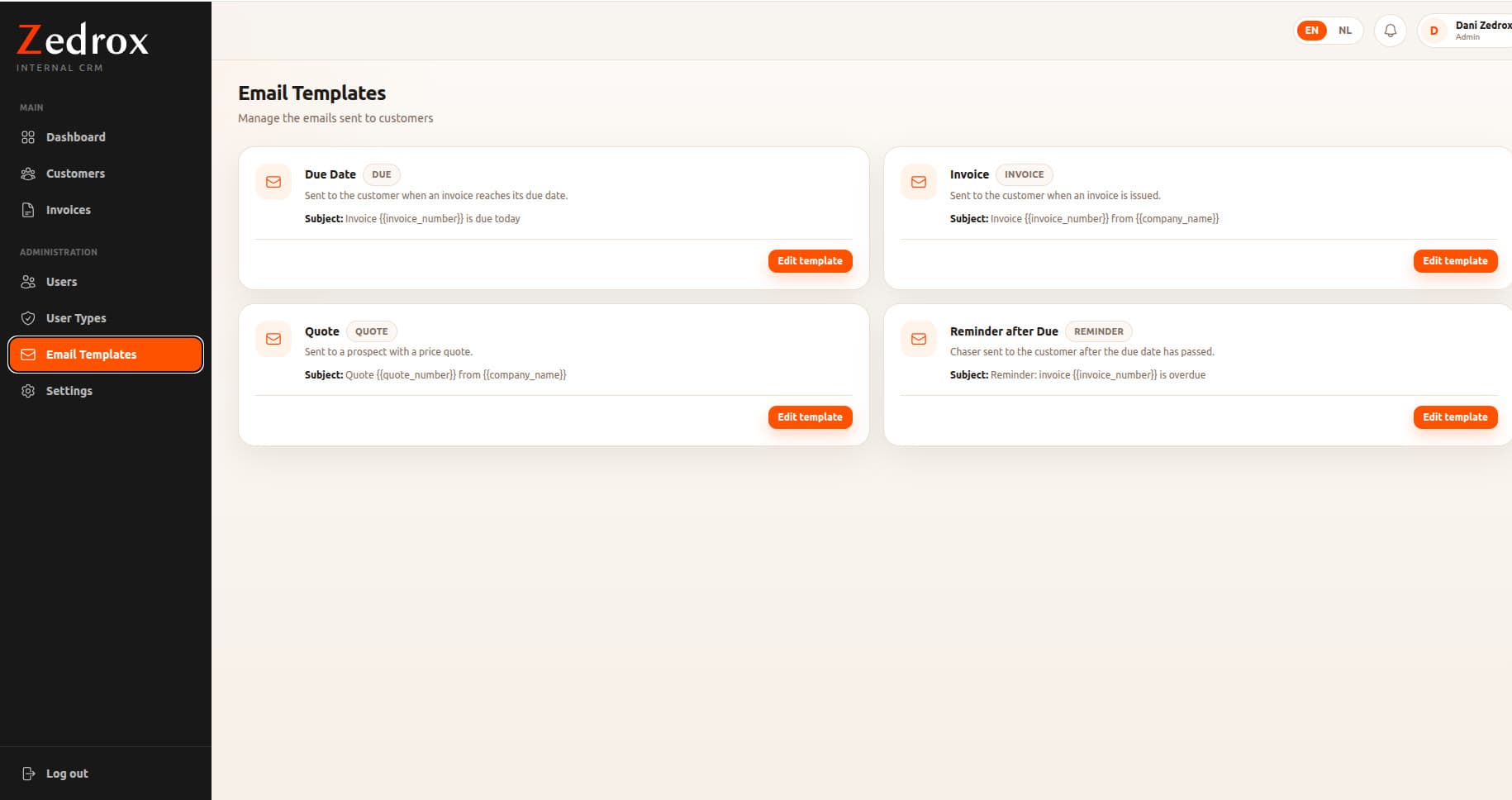
Where required, the platforms automate repetitive processes and notify users when an action, update, or follow-up is needed.
API & Third-Party Integrations
The applications connect with external services and APIs, allowing business data and processes to work alongside existing systems.
Custom Business Features
A major part of custom CRM development is building features specific to the client's workflow — project-specific processes, custom statuses, approval flows, billing-related functionality, team management, or other operational requirements.
Technical Challenges
Real systems, real constraints.
Adapting to changing business requirements
Business applications rarely remain static — new requirements appear once users start working with the system. Adding or modifying functionality without disrupting existing workflows meant working carefully with the existing database structure, application logic, and user experience.
Managing complex relationships between data
CRM systems connect customers, projects, users, tasks, activities, and other business records. The application structure needed to keep these relationships manageable while staying understandable and maintainable.
Working with existing production systems
Much of the work meant improving an existing application rather than starting from scratch — understanding the current codebase, identifying the impact of changes, and shipping new functionality without affecting existing users or processes.
My Role
Beyond screens and APIs.
A significant part of the work was understanding the existing business process and finding a practical way to implement it within the application.
- Backend functionality & APIs
- Frontend interfaces — new and improved
- Relational database design
- CRM & business workflow implementation
- User roles & permissions
- Third-party service integration
- Maintaining & extending existing applications
- Production fixes & performance improvements
- Deployment & ongoing development
Technology
The stack.
Need software built around your workflow?
I build and extend CRM and SaaS platforms that fit the way your team already works — and keep working as requirements change.
Let's Talk